
Help › Managing the fleet
The app catalog
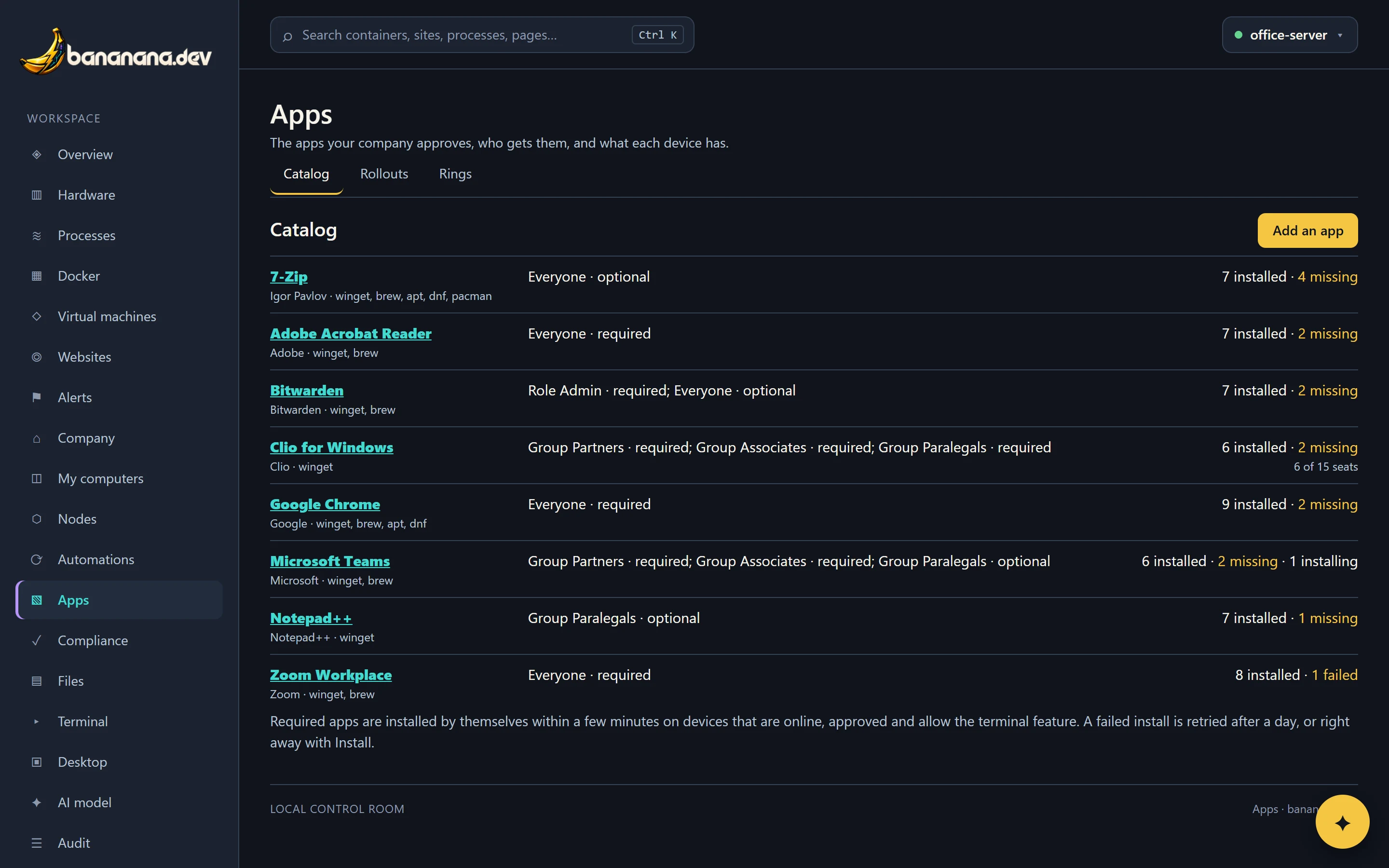
List the apps your company uses, say who must have them, and bananana.dev installs whatever is missing by itself. Self-service for optional apps, seats for licences, and install, update and remove per device.
Apps in the menu is your company's list of approved apps. For each one you say who gets it; bananana.dev compares that with what's actually installed on every device and installs the difference, quietly, without anyone at the computer having to do anything.
Add an app
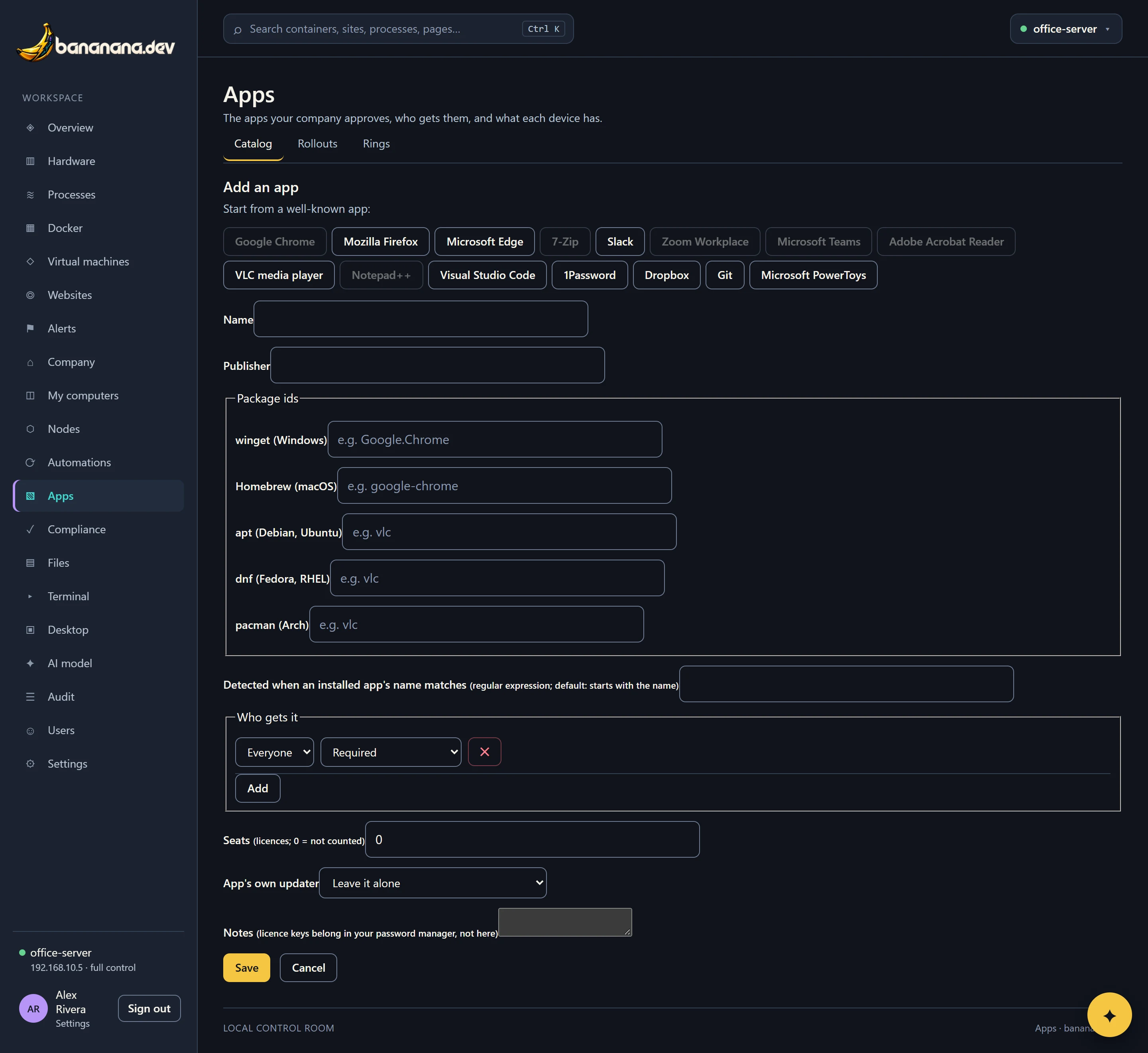
- Press Add an app (needs "App catalog").
- Pick a well-known app under "Start from a well-known app" (Chrome, Firefox, Edge, 7-Zip, Slack, Zoom, Teams, Acrobat Reader, VLC, Notepad++, VS Code, 1Password, Dropbox, Git, PowerToys) and the details fill themselves in. Or type your own.
- Check the package ids: the name each system's package manager knows the app by. You only need the ones for systems you use.
- Say who gets it (below).
- Optionally set seats (how many licences you have) and notes, then Save.
Package ids
| System | Comes from | Example | Where to look it up |
|---|---|---|---|
| Windows | winget | Google.Chrome | winget search chrome on any Windows PC |
| macOS | Homebrew | google-chrome | formulae.brew.sh |
| Debian, Ubuntu | apt | vlc | apt search vlc |
| Fedora, RHEL | dnf | vlc | dnf search vlc |
| Arch | pacman | vlc | pacman -Ss vlc |
Detected when is how bananana.dev recognises the app in a device's installed list: a pattern matched against app names (by default, names starting with the app's name). On Linux it also matches the package name exactly.
Who gets it
Add as many rules as you like. Each is a target and a mode:
- Everyone, a group, a role (based on the device owner's role) or one device.
- Required: installed automatically. Optional: offered on My computers for people to install themselves.
If a device matches several rules, required wins. Example: Teams required for Partners and Associates, optional for Paralegals.
How installs happen
Every few minutes bananana.dev compares each approved, online device with the catalog. For each required app it's missing, it queues an install:
- Windows: winget, machine-wide, as SYSTEM, silently, accepting the package's terms. If an app only has a per-user installer, it says so.
- macOS: Homebrew, run as the person signed in (Homebrew refuses to run as root). Homebrew needs to be installed on the Mac.
- Linux: apt, dnf or pacman, whichever the device uses.
After each install the device reads its installed apps again, so the catalog shows the result within a minute. Devices need the Terminal feature for installs, because installing runs as the administrator.
One app across every device
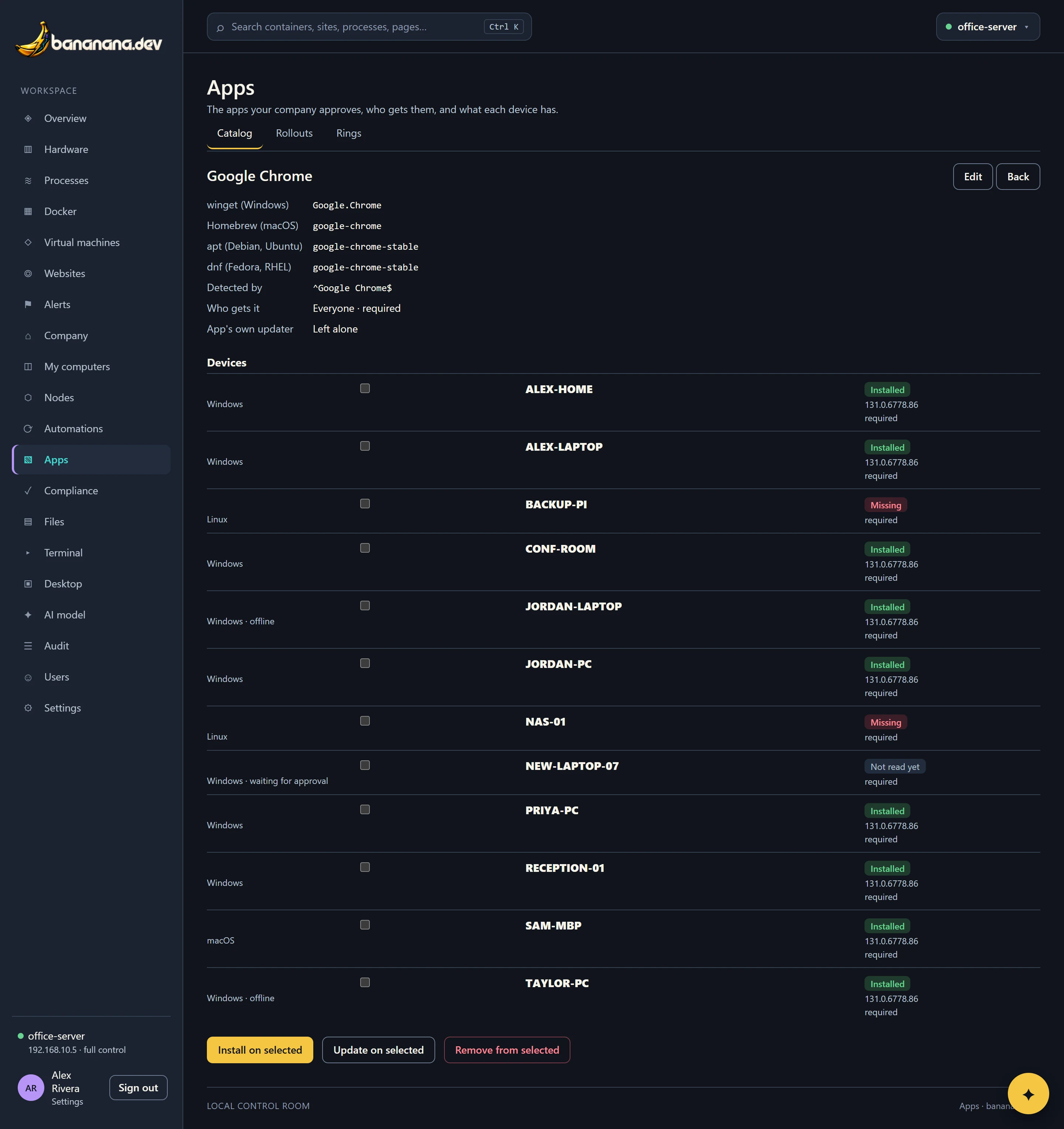
Click an app's name to see every device: should it have the app, does it, which version, and what happened last time.
| State | Means |
|---|---|
| Installed | Found on the device, with its version. |
| Missing | Should have it and doesn't; an install is about to be queued. |
| Installing | Queued or running. Offline devices install when they come back. |
| Failed | The last install didn't work. Open Output to read why. |
| No package | The app has no package id for that device's system. |
| Not read yet | The device hasn't reported its apps yet (it takes a minute after joining, or an agent update). |
When an install fails
bananana.dev waits a day before trying a failed install again by itself, so it doesn't hammer a broken computer. To retry now, tick the device and press Install. Common reasons:
| Output says | Usually means | Do |
|---|---|---|
| 1603 or 1618 | Another installer is running, or a restart is pending. | Restart the PC, then retry. |
| winget is not available | The App Installer is missing (some Windows Server editions, very old Windows 10). | Install "App Installer" from the Microsoft Store. |
| No machine-wide installer | The publisher only offers a per-user installer. | Let the person install it from My computers, or use a different package id. |
| Homebrew is not installed | The Mac has no Homebrew. | Install Homebrew (brew.sh) once. |
| Nobody is signed in | Homebrew runs as the signed-in Mac user. | It retries when someone signs in. |
The Apps tab on a device
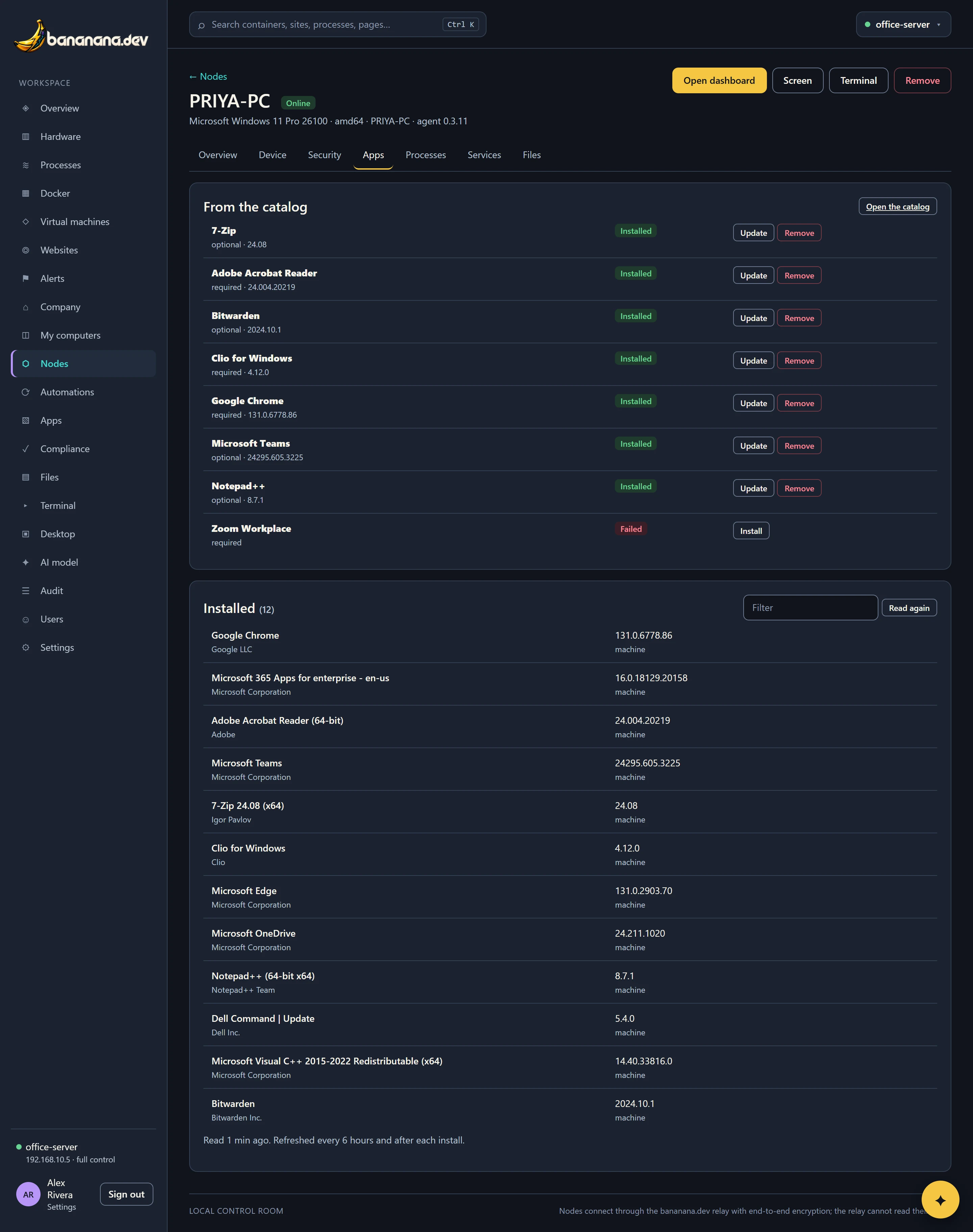
Each device's Apps tab shows the catalog apps that apply to it with their state and Install, Update and Remove buttons, and below that everything installed: Programs and Features on Windows (including per-user apps), /Applications on a Mac, and dpkg, rpm, pacman, Flatpak and Snap on Linux. Type to filter; Read again refreshes it now.
Self-service
Optional apps appear on My computers under each computer's Apps button, where the owner can install them with one click: My computers and working from anywhere.
Seats and app updaters
Seats counts how many devices have the app against how many licences you entered, shown on the catalog. App's own updater records whether you leave the app's own updater alone or update it through Rollouts and rings.