
Help › Everyday use
Screen, terminal and files
See and control a computer's screen, use its command line, and move files to and from it, all through the encrypted relay with nothing to open on your network.
The Desktop, Terminal and Files pages work on whichever machine is picked in the switcher at the top right. On a device's page, the Screen and Terminal buttons and the Files tab open the same tools for that device.
Who can use what
| Tool | The device must allow | Your role needs | Confirm it's you |
|---|---|---|---|
| See the screen | Screen control | View screens | No |
| Control the screen | Screen control | Control screens | Yes, every 15 minutes |
| Terminal | Terminal | Terminal | Yes, every 15 minutes |
| Browse and download files | Files | Files (read) | No |
| Upload, rename, move, delete | Files | Change files | No |
On computers you own, you can always see and control the screen and use the files, whatever your role. Everything you open, and every change, is written to the audit log.
Screen
- Pick the computer in the switcher and open Desktop (it's called Screen for nodes), or press Screen on the device's page.
- Confirm it's you if asked.
- Click into the picture and work as normal. The bar at the top has buttons for keys your own computer would catch first (like the Windows key), Send clipboard and Get clipboard, and Lock when I leave.
- Close the tab or press the close button when done. With Lock when I leave on, the computer locks.
If your role only allows viewing, you see the screen but your clicks and typing aren't sent.
What each system needs
| System | Needs |
|---|---|
| Windows | Someone signed in at the computer (the screen of the signed-in session is shown). bananana.dev installs ffmpeg by itself when you turn on Screen control. |
| macOS | The first time, macOS asks to allow Screen Recording and Accessibility for bananana-node. Allow both in System Settings › Privacy & Security. Without Accessibility you can watch but not control. |
| Linux | An X11 desktop (Wayland isn't supported yet) and ffmpeg installed. |
The picture is H.264 video streamed through the relay, end-to-end encrypted. On a slow connection it drops frames rather than lagging behind.
Terminal
A command line on the computer: PowerShell on Windows, the usual shell on Mac and Linux. On nodes it runs as the administrator account (SYSTEM on Windows, root elsewhere), so be careful. On the brain it runs as its own user.
On a phone, a row of extra keys (Tab, Ctrl, Esc, arrows) appears above the keyboard.
Files
On a device's Files tab you can browse folders, download files, upload (drag them in or press Upload), create folders, rename, move and delete.
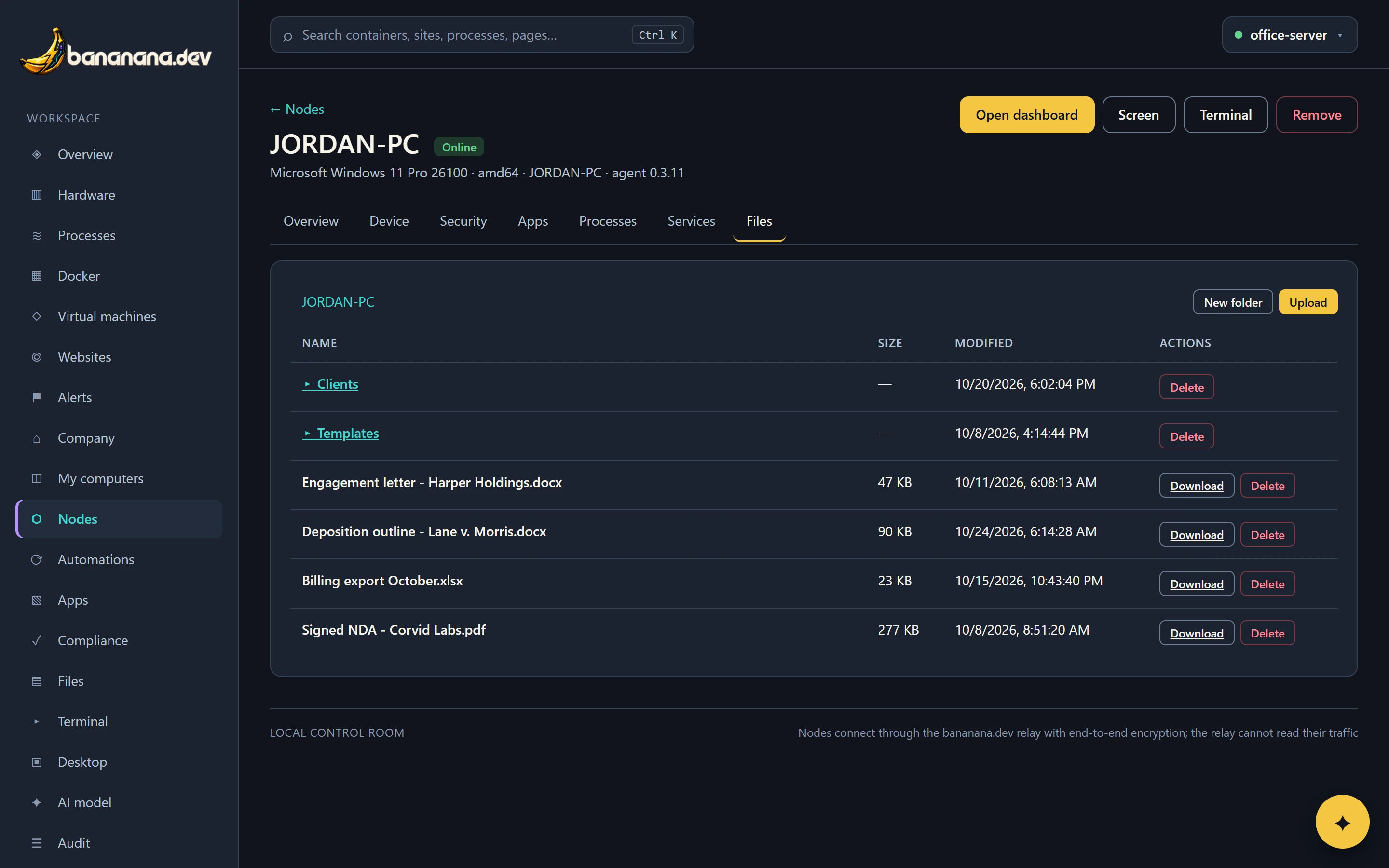
The brain's own Files page shows its shared folder. Each person chooses in Settings whether it shows the shared folder only, the shared folder plus their home folder read-only, or their whole home folder. The brain's folder can also be mounted as a drive in Finder or File Explorer: see Signing in and your account.