
Help › Security
Compliance
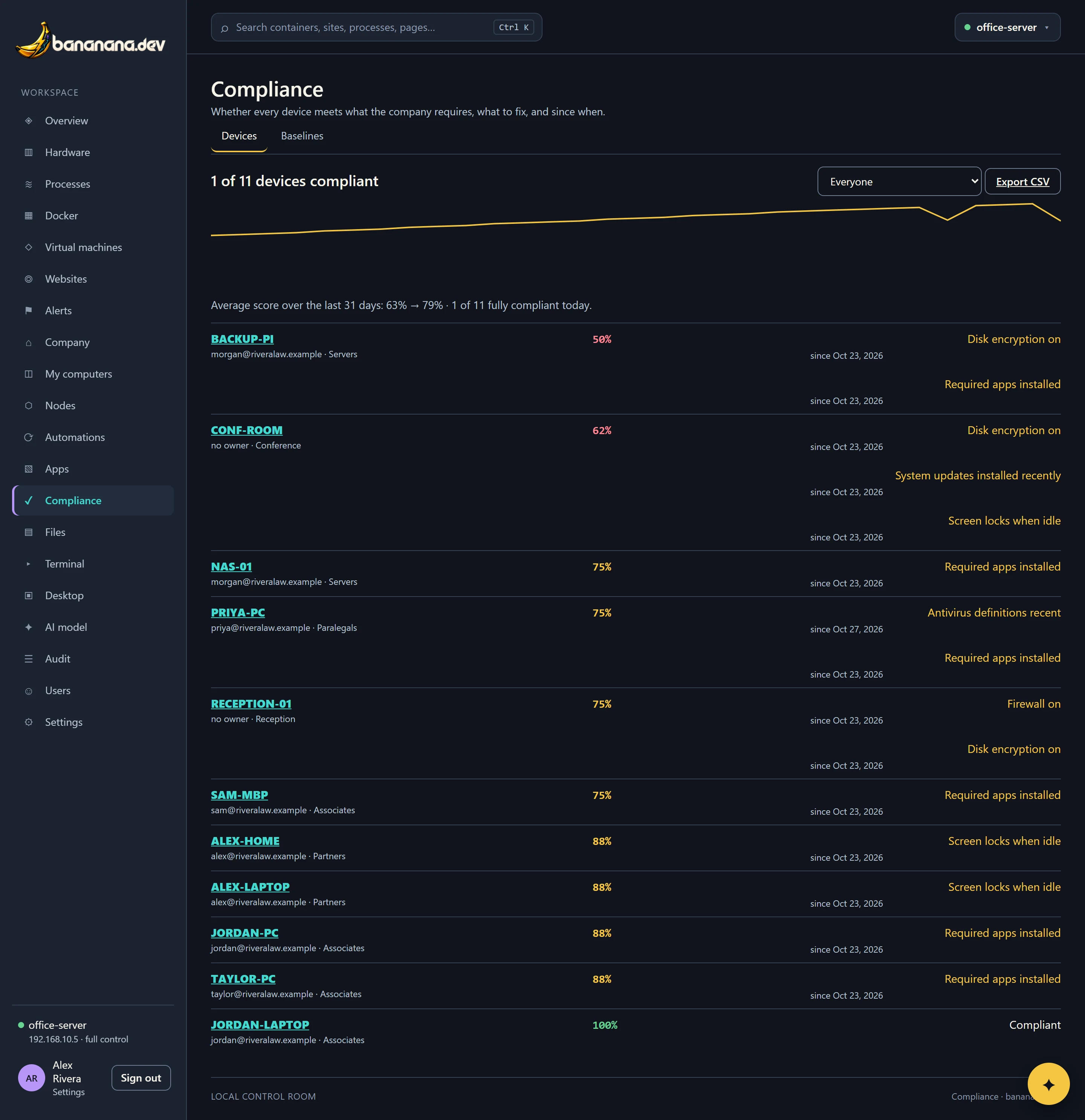
Say what every computer must have (encryption, antivirus, firewall, updates, screen lock, required apps) and see which ones don't, what to fix, and since when. With history and a CSV for auditors.
Compliance answers "does every computer meet our rules?", the question your insurer, your clients' security questionnaires and your bar association's data rules keep asking. You set the rules once as baselines; bananana.dev checks every computer against them all the time.
The checks
| Check | Passes when | Systems |
|---|---|---|
| Antivirus on | Defender's real-time protection is on, or another antivirus is active. | Windows |
| Antivirus definitions recent | Definitions are no older than N days (default 3). | Windows |
| Firewall on | Every Windows firewall profile is on; the Mac or Linux firewall is on. | All |
| Disk encryption on | The system drive is encrypted: BitLocker, FileVault or LUKS. | All |
| System updates installed recently | An operating-system update was installed in the last N days (default 30). Antivirus definition updates don't count. | Windows |
| Screen locks when idle | The screen locks with a password within N minutes (default 5): by policy, or by a password-protected screen saver for every user. | Windows |
| Required apps installed | Every catalog app required for this device is installed. | All |
| Checked in recently | The device was online in the last N days (default 7). | All |
Each check gets Pass, Fail, Unknown (the device hasn't reported what's needed yet, often an old agent) or Not checked (doesn't apply to that system yet). The score is passes out of passes and fails; a device is compliant only with no fails and nothing unknown.
One device in detail
Click a device to see every check side by side: what's required (intended) and what the device reports (verified), which baseline the requirement comes from, and for failing checks, the date it started failing.
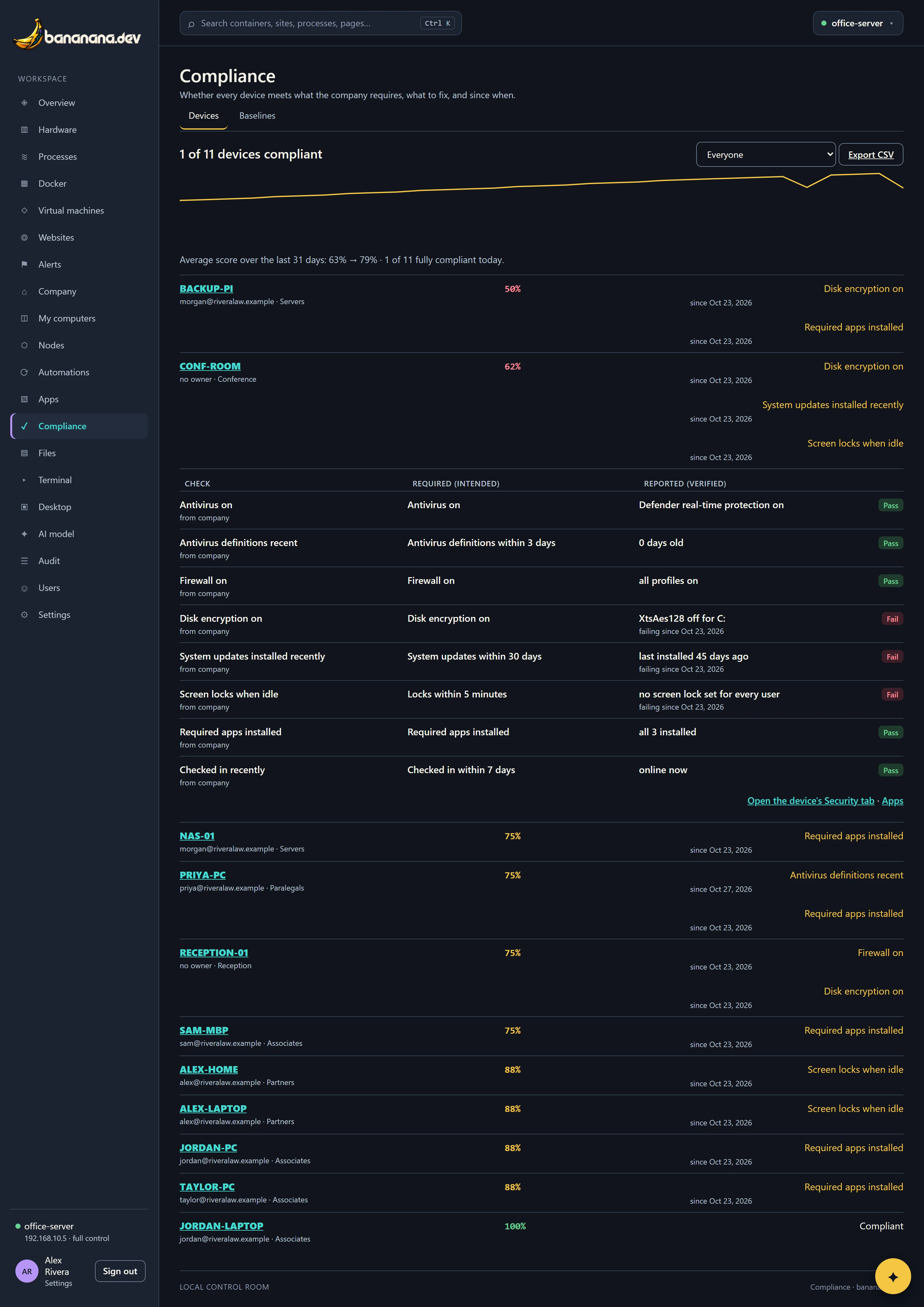
The links underneath go to the device's Security and Apps tabs, where you fix most things.
Baselines
Open the Baselines tab (editing needs "Policies and baselines").
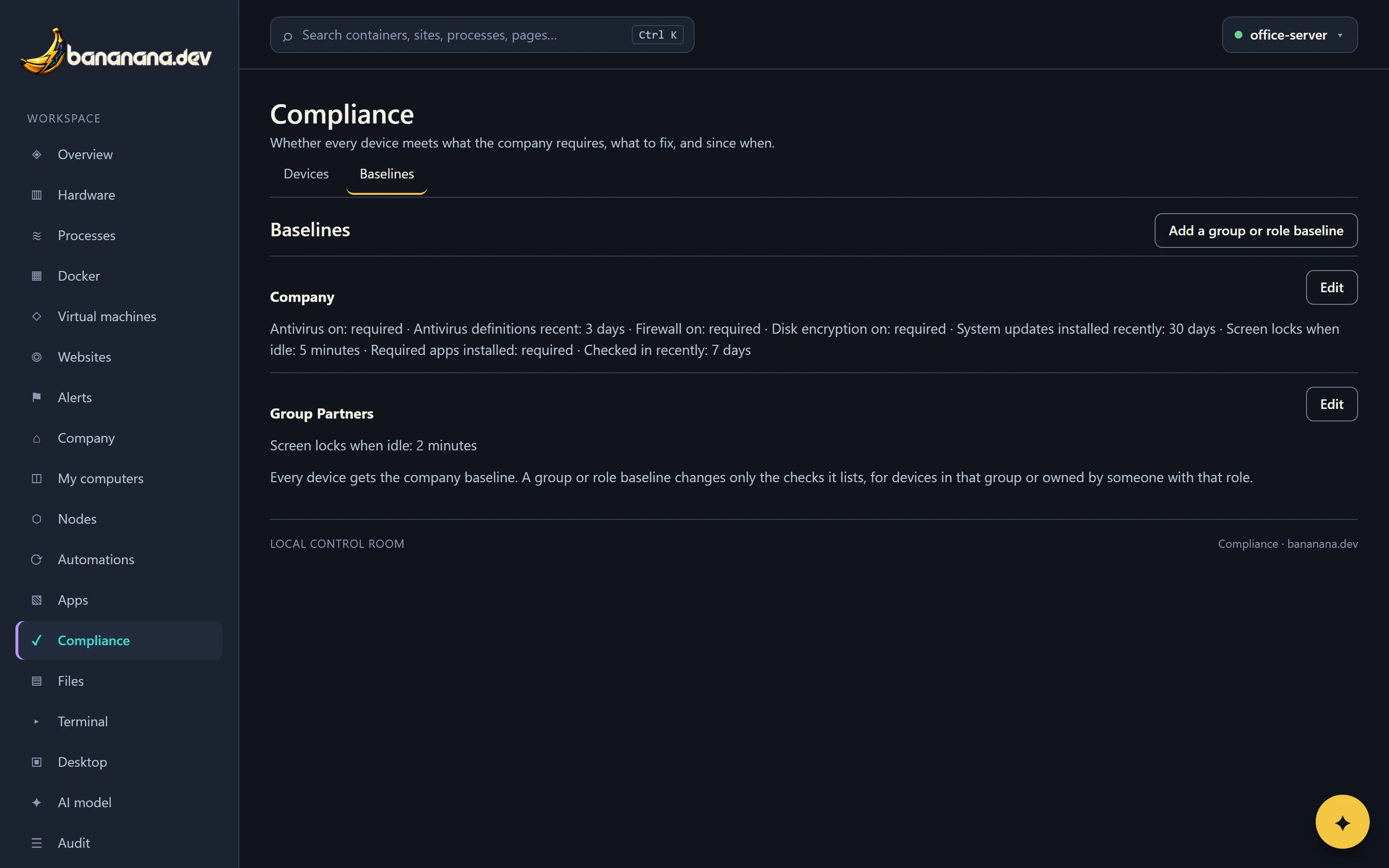
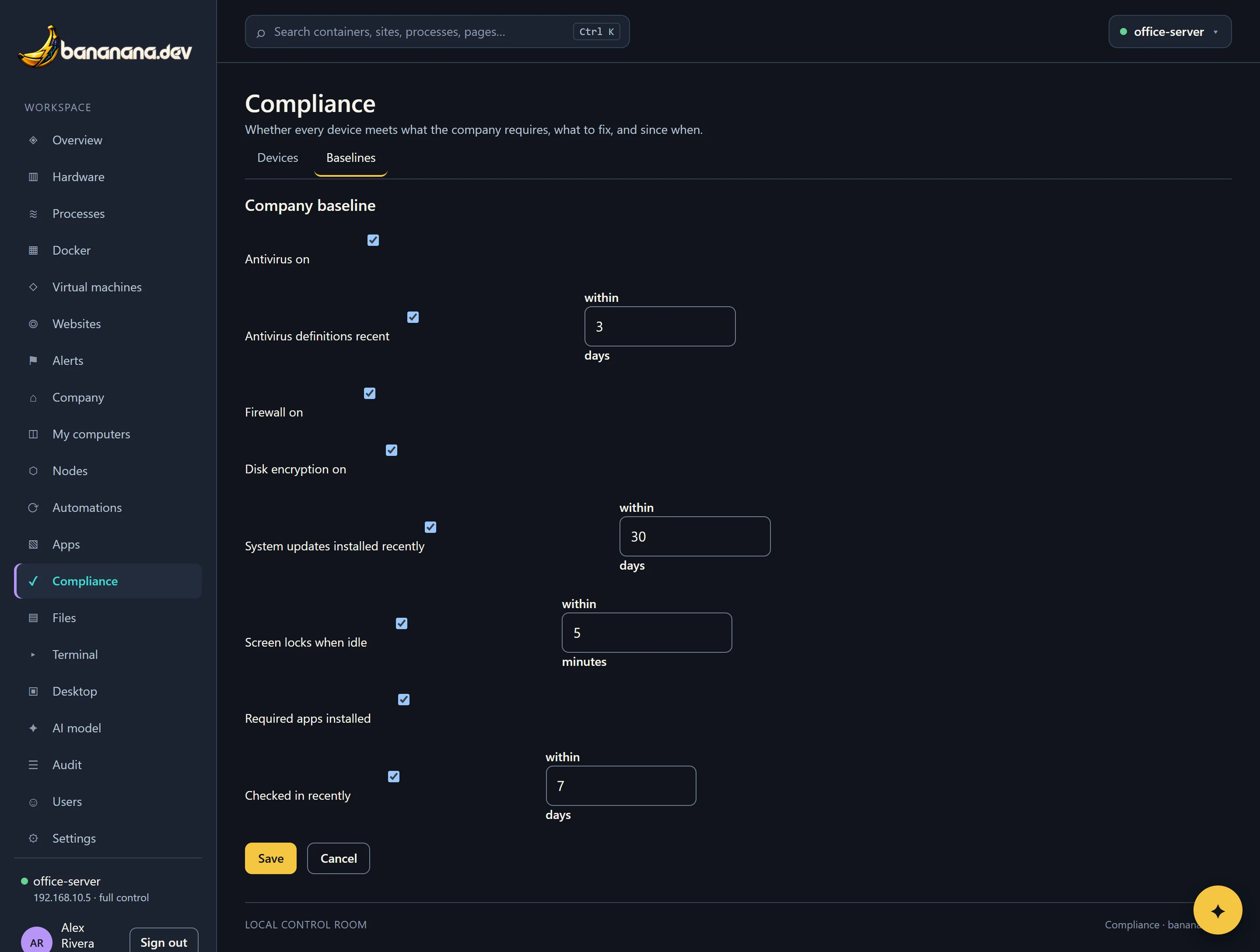
- The company baseline applies to every device and lists every check: on or off, and the number of days or minutes.
- Add a group or role baseline for devices that need different rules. It only lists the checks it changes; everything else comes from the company baseline. Example: Partners' screens lock within 2 minutes instead of 5.
- If a device is in a group with a baseline and its owner has a role with one, the role's setting wins.
History and reports
bananana.dev keeps one score per device per day for over a year. The chart at the top shows the average score over the last 90 days, and how many devices were fully compliant today. Export CSV downloads every device with its owner, groups, score and the result of every check, ready for an auditor or a client's questionnaire.
Filter by owner to see one person's computers, useful when someone joins or leaves.