
Help › Managing the fleet
Rollouts and rings
Update apps and operating systems in waves (pilot, early, everyone), so a bad update stops at a few computers instead of reaching all of them.
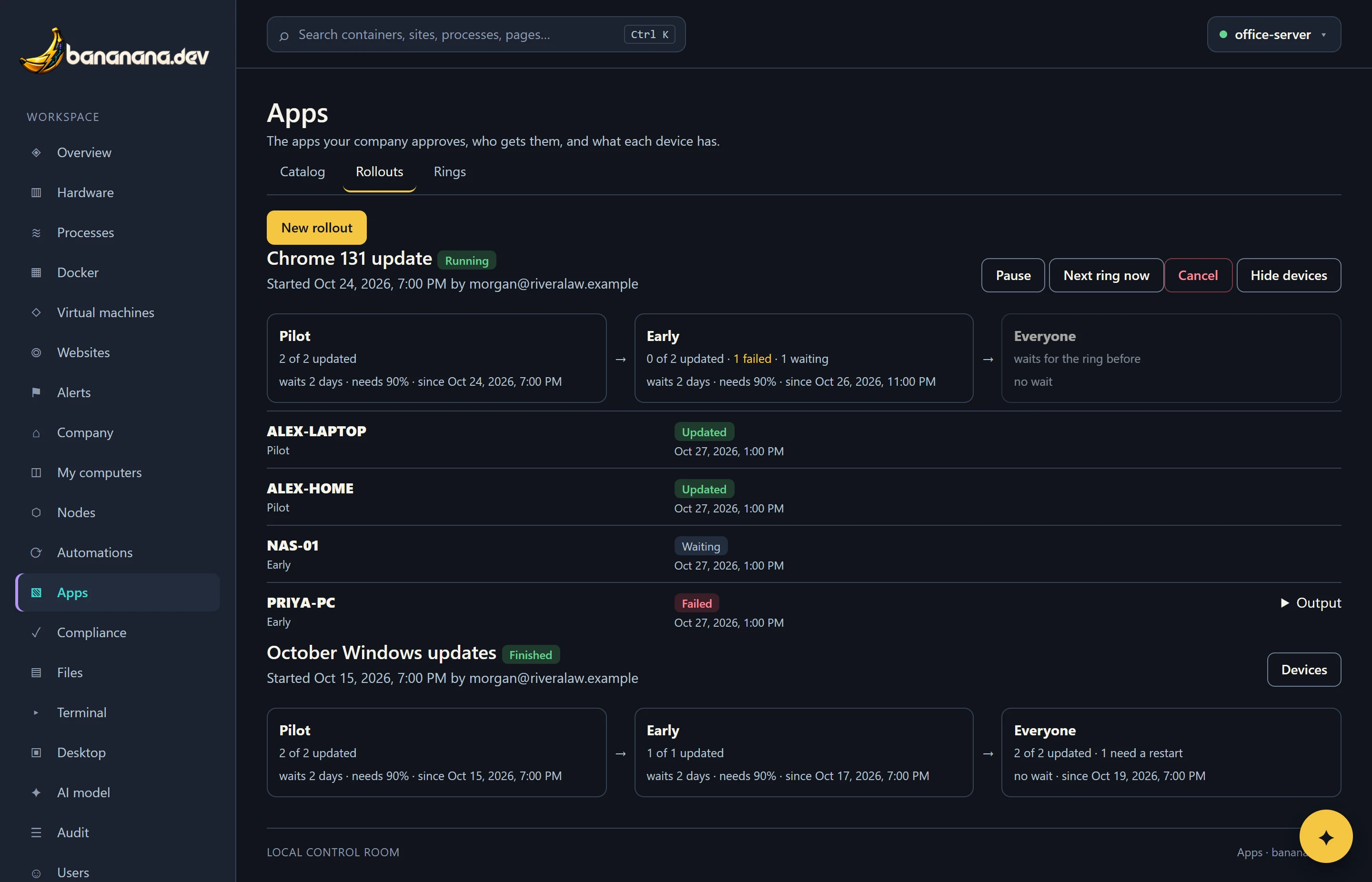
A rollout updates one app, or the operating system, on your devices ring by ring. The first ring is a few people who don't mind being first (often IT). Only when they've had it for a couple of days, and it worked for nearly all of them, does it move on. If too many fail, it stops by itself.
Rings
Open Apps › Rings. You start with three: Pilot, Early and Everyone.
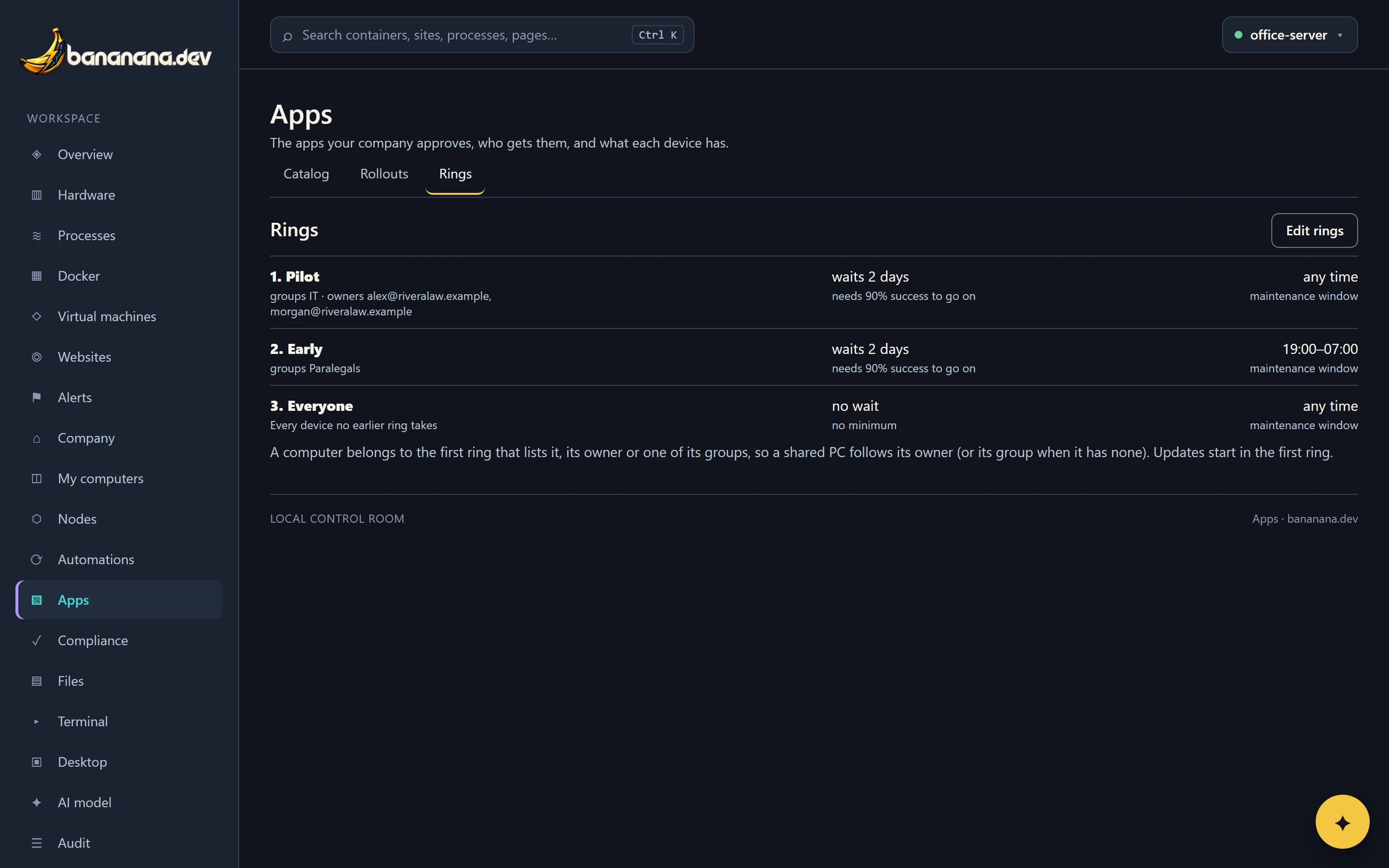
A computer belongs to the first ring that lists it, its owner, or one of its groups. Anything no ring takes falls into the last ring. So a shared computer with no owner follows its group, and everyone's own computers follow them.
Press Edit rings (needs "App catalog") to change them:
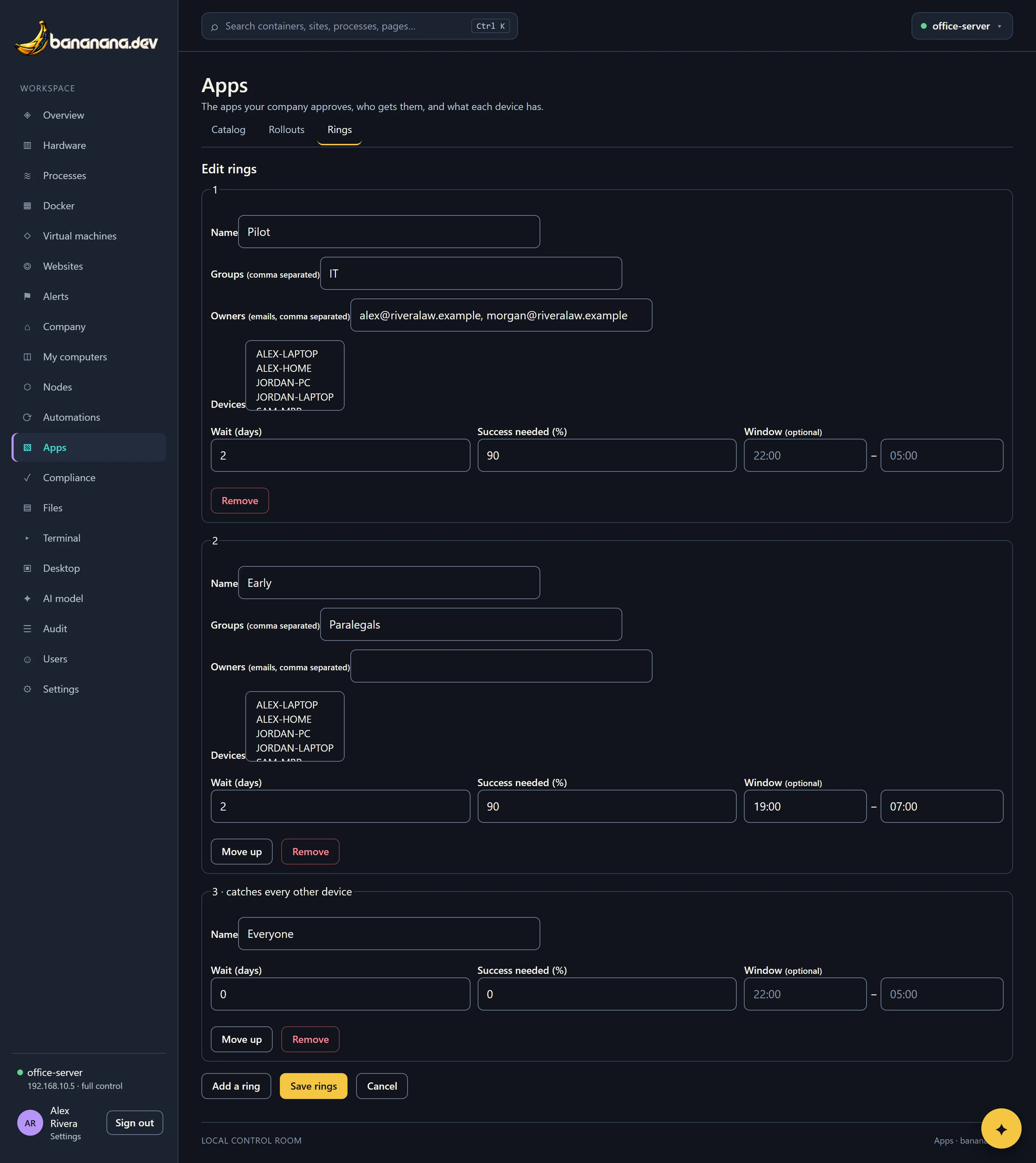
| Setting | Means |
|---|---|
| Groups, Owners, Devices | Who's in the ring. Not used for the last ring, which takes everyone else. |
| Wait (days) | How long the ring keeps an update before the next ring gets it. 0 = move on as soon as every device has finished. |
| Success needed (%) | How many devices in the ring must have updated successfully before moving on. If the ring finishes below this, the rollout pauses. |
| Window | Updates in this ring only start inside these hours, for example 19:00 to 07:00, so nobody's interrupted. Leave it empty for any time. |
Use Move up to reorder, Add a ring for more (up to eight), and Remove to drop one.
Start a rollout
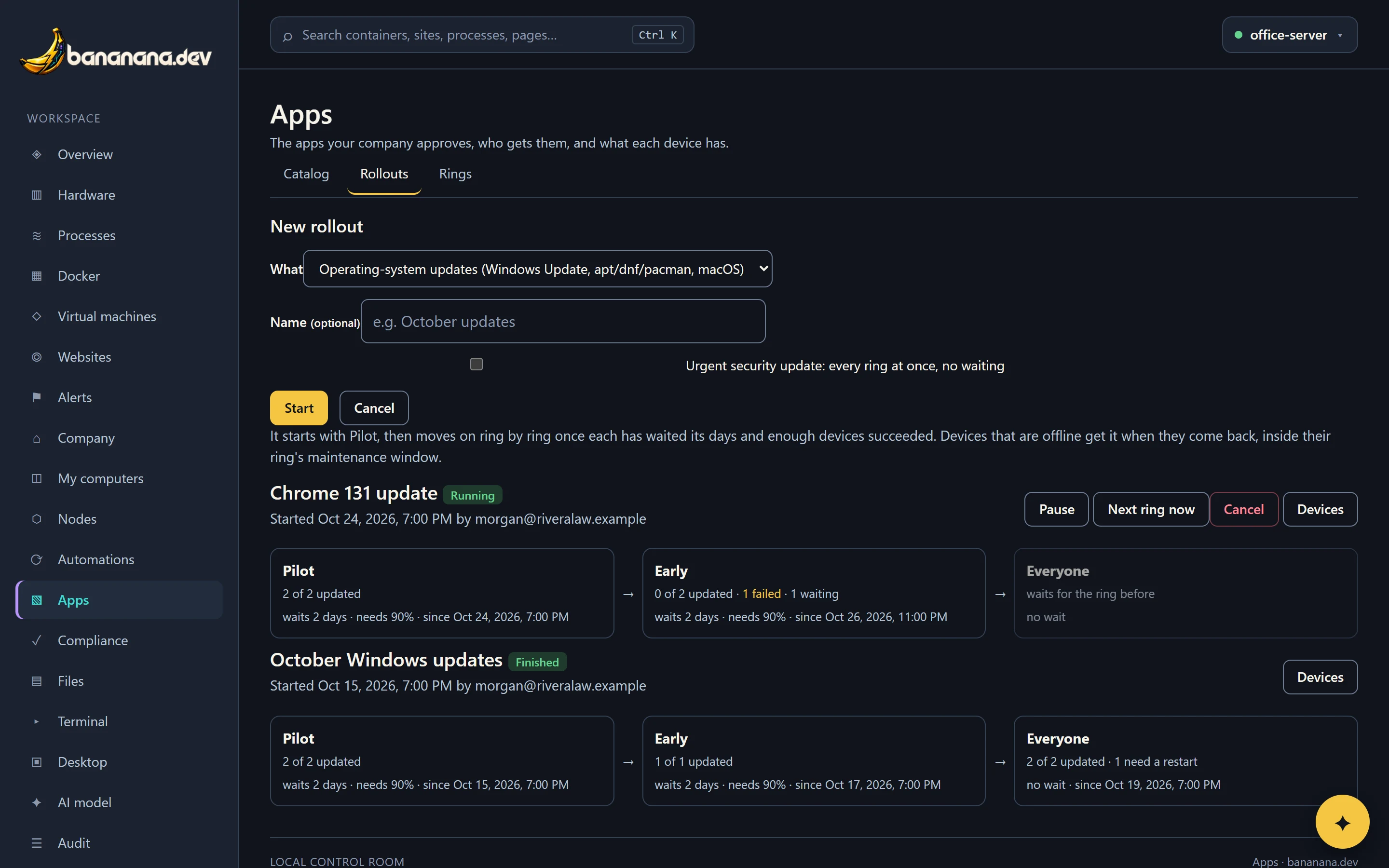
- Open Apps › Rollouts and press New rollout (needs "Deploy apps and agent updates").
- Choose what: operating-system updates, or "Update" one of your catalog apps.
- Give it a name if you like ("October updates").
- Tick Urgent only for a security fix that can't wait: it goes to every ring at once.
- Press Start. Devices in the first ring get it within a minute (inside their window).
What gets updated
| Rollout | Windows | macOS | Linux |
|---|---|---|---|
| An app | winget upgrade | Homebrew upgrade | apt, dnf or pacman upgrade |
| Operating system | Windows Update: all available software updates (not drivers), installed as SYSTEM. | Software Update: all available updates. | Full package upgrade, keeping your configuration files. |
An app rollout only goes to devices that have the app. Devices need the Terminal feature.
Follow it
Each rollout shows its rings in order, with how many devices updated, failed, need a restart or are still waiting, how long each ring waits and what it needs. Press Devices to see every device with its state, and the output for any that failed.
| Device state | Means |
|---|---|
| Waiting | Queued: offline, outside its window, or busy with another job. |
| Updating | Running now. |
| Updated | Done. |
| Needs restart | Done, but the update finishes on the next restart. bananana.dev doesn't restart computers by itself. |
| Failed | Didn't work; open Output. Counted against the ring's success rate. |
Pause, resume, skip ahead, cancel
- Pause stops the rollout moving on. Devices already updating finish.
- Resume carries on. A rollout that paused itself because of failures resumes the same way once you've looked.
- Next ring now moves to the next ring without waiting.
- Cancel drops what hasn't started yet. Updates that already happened stay.