
Help › People and access
The audit log
Every action anyone took (and everything bananana.dev did by itself), who, what, which device, when and from where, in a log that shows if anyone tampers with it.
Open Audit (needs "Audit log"). Every sign-in, every terminal or screen opened, every file changed, every install, approval, role change, rollout step and setting change is here.
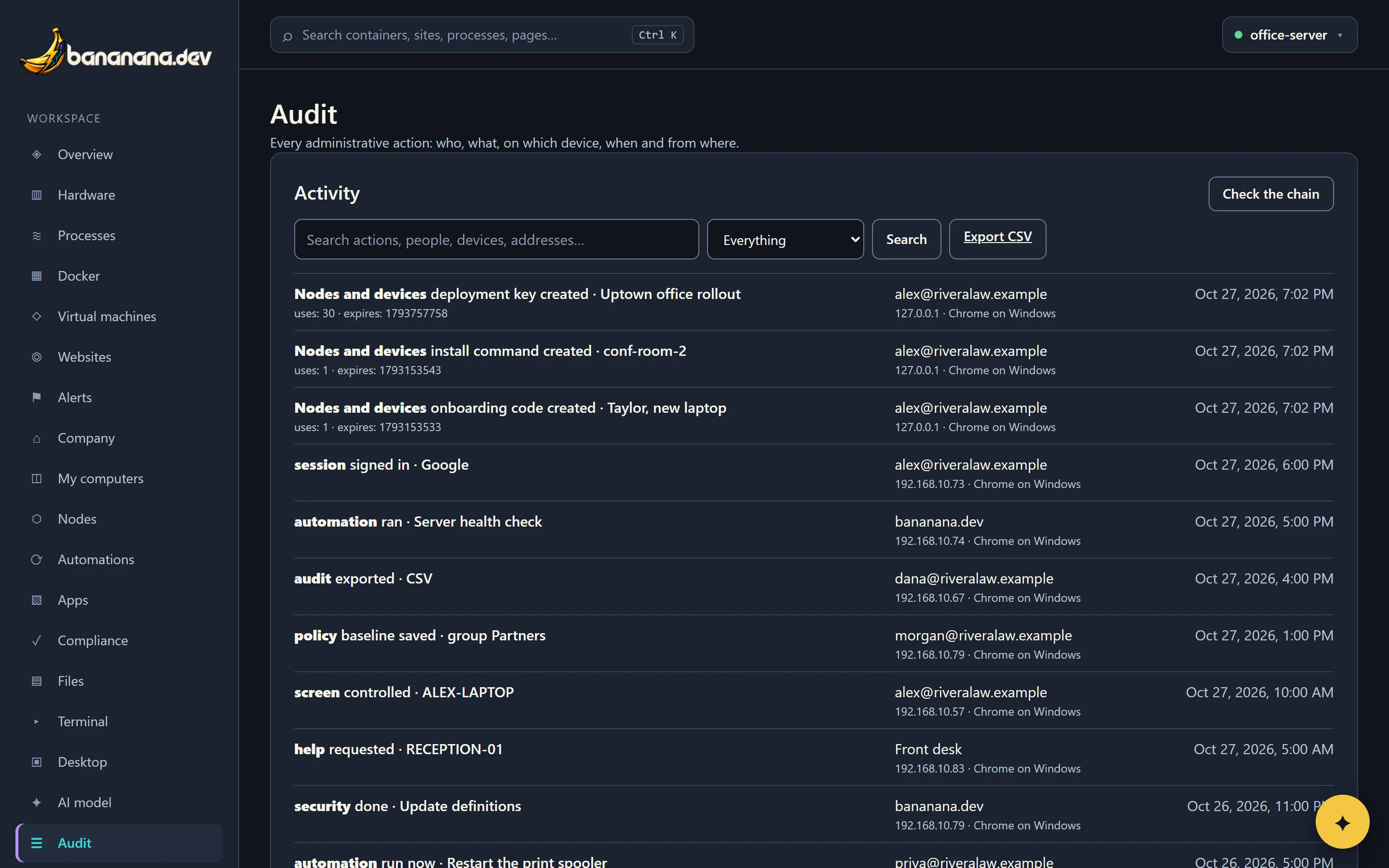
Read an entry
| Part | Example |
|---|---|
| What | Nodes and devices onboarding code created · Taylor, new laptop |
| Details | Extra facts, such as how many uses a key has, the exit code of a script, or which settings changed (from → to). |
| Who | The person's email, bananana.dev for things it did by itself (an automation, a rollout moving to the next ring, an automatic approval), or a name typed on a help request. |
| Where from | Address and browser, such as "192.168.10.44 · Chrome on Windows". |
| When | Date and time. |
Find something
Type in the search box (it matches actions, people, devices, details and addresses), choose a kind in the menu next to it (sessions, terminals, screens, files, devices, apps, security and so on), and press Search. Export CSV downloads what's shown, for a spreadsheet or an auditor.
Check the chain
Each entry carries a fingerprint of the one before it. Press Check the chain: if any entry was changed or removed, it tells you where the chain breaks. In normal use it always says the chain is intact.
Retention
The audit log is kept on the brain and included in the nightly backup. Entries for people who have since been removed stay, so the history is complete.